Mybatis-三层架构重点总结

Mybatis · 三层架构 · 重点总结

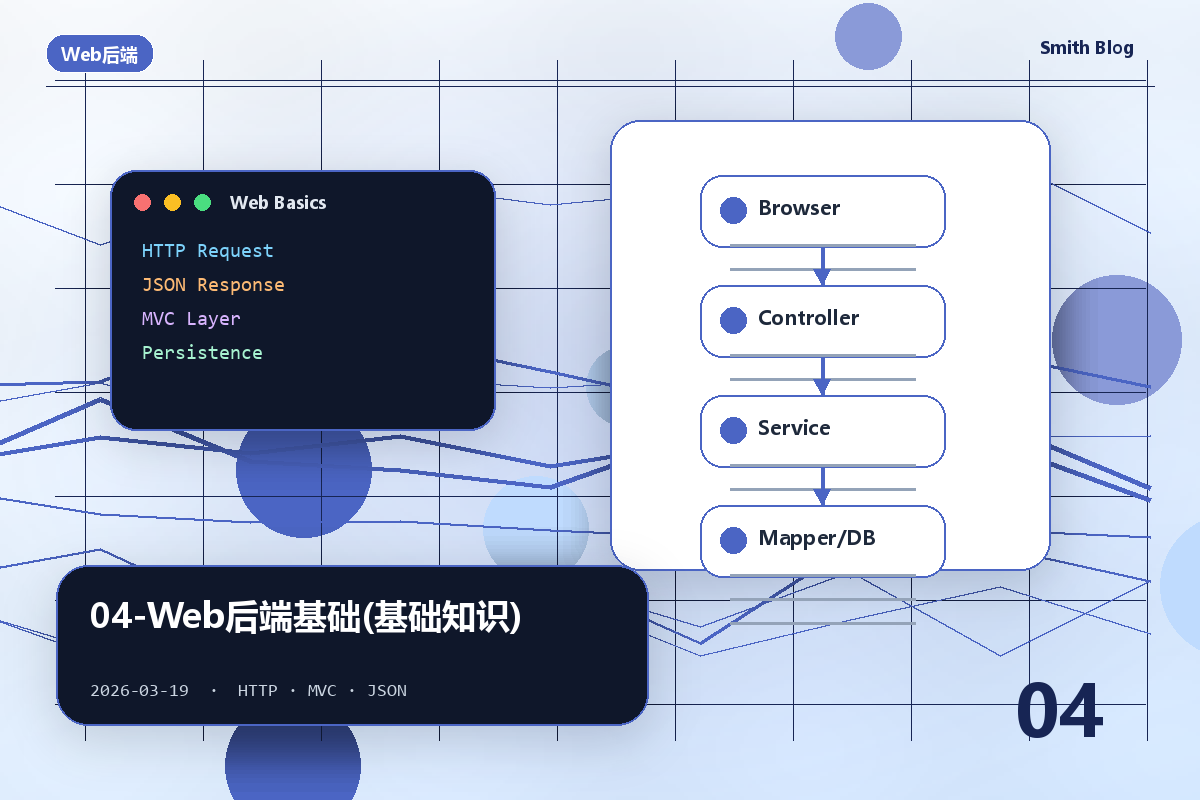
一、软件三层架构

1.1 三层划分

层次 别名 包名 职责
表示层 用户界面层 controller / web 接收用户请求,展示数据,处理用户操作
业务层 业务逻辑层 service 系统核心,处理业务规则,连接上下两层
数据层 持久层 / 数据访问层 dao / mapper 与数据库交互,执行增删改查操作

1.2 架构目标

高内聚、低耦合;提高系统可维护性、可扩展性和灵活性。

二、Mybatis 概述

2.1 核心概念

项目 说明
定义 优秀的持久层框架,用于简化 JDBC 的开发
作用 专门针对数据库进行 CRUD;免除了 JDBC 中设置参数和获取结果集的繁琐工作
SQL 编写方式 注解(简单 SQL)或 XML 映射文件(复杂/动态 SQL)
官网 https://mybatis.org/mybatis-3/zh/

2.2 Mybatis 入门四步骤

步骤 操作
① 创建 Spring Boot 项目 勾选依赖:Web、Lombok、MyBatis FrameworkMySQL Driver
② 配置数据库连接信息 application.propertiesapplication.yml 中配置四大参数
③ 创建实体类(POJO) 属性名与数据库表字段名一一对应(推荐驼峰命名)
④ 创建 Mapper 接口 @Mapper 注解,在方法上用 @Select/@Insert/@Update/@Delete 写 SQL

2.3 配置文件

1
2
3
4
5
6
7
8
9
10
11
# application.properties
spring.datasource.driver-class-name=com.mysql.cj.jdbc.Driver
spring.datasource.url=jdbc:mysql://localhost:3306/mybatis
spring.datasource.username=root
spring.datasource.password=1234

# 开启 Mybatis 日志输出(便于调试)
mybatis.configuration.log-impl=org.apache.ibatis.logging.stdout.StdOutImpl

# 开启驼峰命名自动映射(推荐开启)
mybatis.configuration.map-underscore-to-camel-case=true
1
2
3
4
5
6
7
8
9
10
11
12
13
14
15
16
17
18
19
20
21
22
server:
port: 8080
spring:
datasource:
driver-class-name: com.mysql.cj.jdbc.Driver
url: jdbc:mysql://localhost:3306/day28?useUnicode=true&characterEncoding=UTF-8&useSSL=false&serverTimezone=Asia/Shanghai&rewriteBatchedStatements=true&allowPublicKeyRetrieval=true
username: root
password: root
# MyBatis 配置
mybatis:
# mapper XML 文件的位置
mapper-locations: classpath:mapper/*.xml
# 实体类的别名包
type-aliases-package: com.zxq.day28_mybatis_01.entry
configuration:
# 开启驼峰命名自动映射,即从经典数据库列名 A_COLUMN 映射到经典 Java 属性名 aColumn
map-underscore-to-camel-case: true
# 全局地开启或关闭配置文件中的所有映射器已经配置的任何缓存
cache-enabled: false
# 允许 JDBC 支持自动生成主键,需要数据库驱动支持
# use-generated-keys: true
log-impl: org.apache.ibatis.logging.stdout.StdOutImpl #打印sql语句

三、Lombok

3.1 常用注解速查

注解 作用
@Getter / @Setter 为所有属性生成 get/set 方法
@ToString 自动生成 toString 方法
@EqualsAndHashCode 自动重写 equals 和 hashCode 方法
@Data 综合注解 = @Getter + @Setter + @ToString + @EqualsAndHashCode最常用
@NoArgsConstructor 生成无参构造方法
@AllArgsConstructor 生成全参构造方法

⚠️ @Data 不含全参/无参构造,实体类通常三个注解一起用:@Data + @NoArgsConstructor + @AllArgsConstructor

1
2
3
4
5
6
7
8
9
10
11
12
@Data               // getter/setter/toString/equals/hashCode
@NoArgsConstructor // 无参构造
@AllArgsConstructor // 全参构造
public class Emp {
private Integer id;
private String username;
private String name;
private Short gender;
private LocalDate entrydate; // date → LocalDate
private LocalDateTime createTime; // datetime → LocalDateTime
private Integer deptId;
}

四、Mybatis 基础操作(注解方式)

4.1 核心注解

注解 用途 对应 SQL
@Select("SQL") 查询 SELECT
@Insert("SQL") 新增 INSERT
@Update("SQL") 修改 UPDATE
@Delete("SQL") 删除 DELETE
@Mapper 标识 Mapper 接口,Spring Boot 自动创建代理对象纳入 IOC 容器
@Options(useGeneratedKeys=true, keyProperty="id") 配合 @Insert 实现主键返回
@Param("名称") 方法形参 ≥ 2 个时,指定 SQL 中的参数名
@Results({@Result(...)}) 手动指定字段与属性的映射关系

4.2 删除

1
2
3
4
5
6
@Mapper  ////也可以在启动类上使用 @MapperScan("com.xxx.mapper") 指定扫描包路径。
public interface EmpMapper {
// #{id} 占位符,自动生成预编译 SQL,防止 SQL 注入
@Delete("DELETE FROM emp WHERE id = #{id}")
void delete(Integer id);
}

4.3 新增(含主键返回)

1
2
3
4
5
6
7
8
@Mapper 
public interface EmpMapper {

@Insert("INSERT INTO user(name, age, email) VALUES(#{name}, #{age}, #{email})")
//表示使用数据库自增主键,并将生成的主键值回填到实体对象的 id 属性中
@Options(useGeneratedKeys = true, keyProperty = "id")
int insert(User user);
}

主键返回应用场景:添加套餐后,需要用套餐 ID 维护套餐-菜品中间表,此时必须拿到刚插入的主键。

4.4 修改

1
2
3
4
5
6
7
@Mapper
public interface EmpMapper {
@Update("UPDATE emp SET username=#{username}, name=#{name}, gender=#{gender}, " +
"image=#{image}, job=#{job}, entrydate=#{entrydate}, " +
"dept_id=#{deptId}, update_time=#{updateTime} WHERE id=#{id}")
void update(Emp emp);
}

4.5 查询 & 字段映射三种方案

1
2
3
4
5
6
7
8
9
10
11
12
13
14
15
16
17
18
19
20
21
22
23
24
25
// 方案1:SQL 中起别名(保证别名与属性名一致)
@Select("SELECT id, username, dept_id AS deptId, create_time AS createTime FROM emp WHERE id=#{id}")
Emp getById(Integer id);

// 方案2:@Results 手动映射
@Results({
@Result(column = "dept_id", property = "deptId"),
@Result(column = "create_time",property = "createTime"),
@Result(column = "update_time",property = "updateTime")
//id = true:表示该字段为主键。
//property:Java 对象的属性名。
//column:数据库查询结果的列名。
})
@Select("SELECT * FROM emp WHERE id=#{id}")
Emp getById(Integer id);

// 方案3:开启驼峰命名自动映射(推荐,在 application.properties 中配置一次即可)
// mybatis.configuration.map-underscore-to-camel-case=true
// dept_id → deptId,create_time → createTime,自动匹配
@Select("SELECT * FROM emp WHERE id=#{id}")
Emp getById(Integer id);

//当方法参数 ≥ 2 个,或想在 SQL 中使用明确的参数名时,用 @Param 声明。
@Select("SELECT * FROM user WHERE name = #{name} AND age = #{age}")
User findByNameAndAge(@Param("name") String name, @Param("age") Integer age);

4.6 条件查询(模糊 + 多参数)

1
2
3
4
5
6
7
8
9
10
11
// ❌ 方式1:${}字符串拼接,存在SQL注入风险,不推荐
@Select("SELECT * FROM emp WHERE name LIKE '%${name}%' AND gender=#{gender}")
List<Emp> list(String name, Short gender);

// ✅ 方式2:concat 函数 + #{},预编译,安全推荐
@Select("SELECT * FROM emp " +
"WHERE name LIKE CONCAT('%',#{name},'%') " +
"AND gender=#{gender} " +
"AND entrydate BETWEEN #{begin} AND #{end} " +
"ORDER BY update_time DESC")
List<Emp> list(String name, Short gender, LocalDate begin, LocalDate end);

五、参数占位符 #{} vs ${}(⭐ 常考)

对比项 #{} ${}
原理 生成预编译 SQL(占位符 ?),参数安全传入 直接字符串拼接,参数直接嵌入 SQL
SQL 注入 安全,防止 SQL 注入 存在 SQL 注入风险
性能 编译一次,缓存复用,性能高 每次都重新编译,性能低
使用时机 传递用户参数(推荐) 动态表名、列名(程序员自己控制)

六、XML 映射文件

6.1 使用场景 & 规范

什么时候用 XML:需要编写动态 SQL、复杂 SQL 时,优先使用 XML 方式。

规范 说明
同包同名 XML 文件名和 Mapper 接口名一致,且放在相同包下
namespace XML 文件的 namespace = Mapper 接口的全限定类名
id XML 中 SQL 标签的 id = Mapper 接口中的方法名
resultType 查询标签的 resultType = 方法返回值的类型(集合写泛型类型

6.2 XML 文件基本结构

1
2
3
4
5
6
7
8
9
10
11
12
13
14
<?xml version="1.0" encoding="UTF-8" ?>
<!DOCTYPE mapper
PUBLIC "-//mybatis.org//DTD Mapper 3.0//EN"
"https://mybatis.org/dtd/mybatis-3-mapper.dtd">
<!-- namespace = Mapper 接口全限定类名 -->
<mapper namespace="com.example.mapper.EmpMapper">

<!-- id = 方法名;resultType = 返回值类型(集合写泛型) -->
<select id="list" resultType="com.example.pojo.Emp">
SELECT * FROM emp WHERE name LIKE CONCAT('%',#{name},'%')
ORDER BY update_time DESC
</select>

</mapper>

6.3 resultMap vs resultType

对比项 resultType resultMap
映射方式 Mybatis 自动按字段名/属性名映射 程序员自定义字段与属性对应关系
适用场景 简单查询(字段名与属性名匹配) 多表联查、字段名与属性名不一致

七、动态 SQL

7.1 动态 SQL 标签速查

标签 作用
<if test="条件"> 条件为 true 时拼接 SQL 片段
<where> 包裹 <if> 标签,有子内容时才插入 WHERE,自动去掉开头多余的 AND/OR
<set> 配合 <if> 用于 UPDATE 语句,动态插入 SET 关键字,自动去掉末尾多余逗号
<foreach> 遍历集合,用于批量操作(如 IN (...) 子句)
<sql id="名称"> 定义可复用的 SQL 片段
<include refid="名称"> 引用 <sql> 定义的片段

7.2 动态条件查询(<where> + <if>

1
2
3
4
5
6
7
8
9
10
11
12
13
14
15
16
<select id="list" resultType="com.example.pojo.Emp">
SELECT * FROM emp
<where>
<!-- <where> 标签:有子内容才加 WHERE,自动去掉首个多余的 AND -->
<if test="name != null">
AND name LIKE CONCAT('%', #{name}, '%')
</if>
<if test="gender != null">
AND gender = #{gender}
</if>
<if test="begin != null and end != null">
AND entrydate BETWEEN #{begin} AND #{end}
</if>
</where>
ORDER BY update_time DESC
</select>

7.3 动态更新(<set> + <if>

1
2
3
4
5
6
7
8
9
10
11
12
13
14
15
<update id="update">
UPDATE emp
<!-- <set> 标签:动态插入 SET 关键字,自动去掉末尾多余的逗号 -->
<set>
<if test="username != null">username = #{username},</if>
<if test="name != null">name = #{name},</if>
<if test="gender != null">gender = #{gender},</if>
<if test="image != null">image = #{image},</if>
<if test="job != null">job = #{job},</if>
<if test="entrydate != null">entrydate = #{entrydate},</if>
<if test="deptId != null">dept_id = #{deptId},</if>
<if test="updateTime != null">update_time = #{updateTime}</if>
</set>
WHERE id = #{id}
</update>

7.4 批量删除(<foreach>

1
2
3
4
5
6
7
<!-- 批量删除:DELETE FROM emp WHERE id IN (1,2,3) -->
<delete id="deleteByIds">
DELETE FROM emp WHERE id IN
<foreach collection="ids" item="id" separator="," open="(" close=")">
#{id}
</foreach>
</delete>

<foreach> 属性说明:

属性 说明
collection 集合参数名(接口方法中的参数名,如 ids
item 遍历时的单个元素变量名
separator 元素间的分隔符(,
open 遍历前拼接的内容((
close 遍历后拼接的内容()

7.5 SQL 片段复用(<sql> + <include>

1
2
3
4
5
6
7
8
9
10
11
12
13
14
15
16
<!-- 定义公共 SQL 片段 -->
<sql id="commonSelect">
SELECT id, username, password, name, gender, image, job,
entrydate, dept_id, create_time, update_time
FROM emp
</sql>

<!-- 引用片段,避免重复 -->
<select id="list" resultType="com.example.pojo.Emp">
<include refid="commonSelect"/>
<where>
<if test="name != null">AND name LIKE CONCAT('%', #{name}, '%')</if>
<if test="gender != null">AND gender = #{gender}</if>
</where>
ORDER BY update_time DESC
</select>

八、连接池

8.1 Druid 整合 Spring Boot

1
2
3
4
5
6
<!-- pom.xml:引入 Druid 起步依赖 -->
<dependency>
<groupId>com.alibaba</groupId>
<artifactId>druid-spring-boot-3-starter</artifactId>
<version>1.2.21</version>
</dependency>

引入后 Spring Boot 自动完成 Druid 连接池配置,无需手动创建 DataSource 对象。

九、综合速查

Mybatis 完整开发流程

1
2
3
4
5
① pom.xml 引入依赖(mybatis-spring-boot-starter + mysql-connector-j + lombok)
② application.properties 配置四大数据库参数 + 驼峰命名
③ 创建实体类(@Data + @NoArgsConstructor + @AllArgsConstructor)
④ 创建 @Mapper 接口(简单 SQL 用注解,复杂/动态 SQL 用 XML)
⑤ 测试(@SpringBootTest + @Autowired 注入 Mapper + @Test)

注解 vs XML 选型

场景 推荐方式
简单 CRUD(固定 SQL) 注解@Select/@Insert/@Update/@Delete
动态 SQL(条件可变) XML 映射文件
多表关联查询 XML + resultMap

动态 SQL 三大标签口诀

1
2
3
4
<where>  → 包裹 if,自动加/去 WHERE,去掉首个 AND
<set> → 包裹 if,自动加/去 SET,去掉末尾逗号
<foreach>→ 遍历集合,实现批量操作 IN(...)

三个核心标签极简实战例子(全是开发必用)

统一用user表演示,字段:id(主键)、name(姓名)、age(年龄)、email(邮箱)

一、<where> 标签(自动加WHERE+删首个AND)

核心功能:有条件才加WHERE,自动删除所有条件开头多余的AND/OR

Mapper接口

1
List<User> listUser(@Param("name") String name, @Param("age") Integer age);

XML代码

1
2
3
4
5
6
7
8
9
10
11
<select id="listUser" resultType="com.example.User">
SELECT id, name, age, email FROM user
<where>
<if test="name != null and name != ''">
AND name = #{name}
</if>
<if test="age != null">
AND age = #{age}
</if>
</where>
</select>

生成SQL对比

传入参数 最终生成SQL 标签自动处理的部分
name=null, age=20 SELECT ... FROM user WHERE age = ? 删掉了age前的AND
两个参数都为null SELECT ... FROM user 完全不生成WHERE关键字
两个参数都不为空 SELECT ... WHERE name = ? AND age = ? 正常拼接

二、<set> 标签(自动加SET+删末尾逗号)

核心功能:有更新字段才加SET,自动删除所有字段末尾多余的逗号

Mapper接口

1
int updateUser(User user);

XML代码

1
2
3
4
5
6
7
8
9
10
11
12
13
14
15
<update id="updateUser" parameterType="com.example.User">
UPDATE user
<set>
<if test="name != null and name != ''">
name = #{name},
</if>
<if test="age != null">
age = #{age},
</if>
<if test="email != null and email != ''">
email = #{email},
</if>
</set>
WHERE id = #{id}
</update>

生成SQL对比

传入参数 最终生成SQL 标签自动处理的部分
id=1, name=”张三”, age=null, email=null UPDATE user SET name = ? WHERE id = ? 删掉了name后的逗号
id=1, age=25, email=”a@qq.com UPDATE user SET age = ?, email = ? WHERE id = ? 正常拼接

三、<foreach> 标签(遍历集合,批量操作)

核心功能:遍历Java集合/数组,生成SQL片段,最常用IN查询批量插入

场景1:批量查询(IN子句,最常用)

Mapper接口

1
List<User> listUserByIds(@Param("ids") List<Long> ids);

XML代码

1
2
3
4
5
6
7
8
9
10
11
<select id="listUserByIds" resultType="com.example.User">
SELECT id, name FROM user
<where>
<if test="ids != null and ids.size() > 0">
AND id IN
<foreach collection="ids" item="id" open="(" separator="," close=")">
#{id}
</foreach>
</if>
</where>
</select>

生成SQL

传入ids=[1,2,3]SELECT ... WHERE id IN (?, ?, ?)


场景2:批量插入(性能最优写法)

Mapper接口

1
int batchInsertUser(@Param("userList") List<User> userList);

XML代码

1
2
3
4
5
6
7
<insert id="batchInsertUser">
INSERT INTO user (name, age, email)
VALUES
<foreach collection="userList" item="user" separator=",">
(#{user.name}, #{user.age}, #{user.email})
</foreach>
</insert>

生成SQL

传入2个用户 → INSERT INTO user (name,age,email) VALUES (?,?,?), (?,?,?)

必记核心坑点

  1. <where>只能删开头的AND/OR,不能删中间的,所以所有<if>条件都要以AND/OR开头
  2. <set>只能删末尾的逗号,不能删中间的,所以所有更新字段都要以逗号结尾
  3. <foreach>collection属性:
    • 传入List集合写list,传入数组array
    • @Param指定别名后,就写别名(比如上面的idsuserList

需要我补充一个 <where>+<set>+<foreach> 组合使用的完整复杂查询例子吗?

字段映射方案优先级

1
2
3
4
① 开启驼峰命名(application.properties 一次配置,全局生效)← 推荐
② SQL 中起别名(dept_id AS deptId)
③ @Results + @Result 手动映射
④ XML 中 <resultMap>(多表联查时使用)
1
2
3
4
5
6
7
8
9
10
11
12
13
14
15
16
17
18
19
20
21
22
23
24
25
26
27
28
29
30
31
32
33
34
35
36
37
38
39
40
41
42
43
44
45
46
47
48
//@Mapper
public interface DeptMapper {

@Select("select * from dept")
public List<Dept> findAll();

// 根据id删除部门信息
@Delete("delete from dept where id=${id}")
public int deleteById(Integer id);

@Select("select ${col} from ${tbn} where id=#{id}")
public List<Dept> findByDiy(@Param("col") String col, @Param("tbn") String tbn,@Param("id") Integer id);// 形参数量超过1个,必须使用 @Param(形参名) 指定形参名,sql中通过 #{形参名} 获取参数值

@Insert("insert into dept (name, create_time, update_time) values (#{name},#{createTime},#{updateTime})")
@Options(useGeneratedKeys = true, keyProperty = "id")
public int insertDept(Dept dept);

@Update("update dept set name=#{name}, create_time=#{createTime}, update_time=#{updateTime} where id=#{id}")
public int updateDept(Dept dept);

@Select("select * from dept where id=#{id}")
public Dept findById(Integer id);

/*@Select("select id id2,name name2, create_time createTime2, update_time updateTime2 from dept where id=#{id}")
// 通过给列名起别名的方式,只能针对这一个方法生效,其他的sql也得写别名,扩展性很差
public Dept2 findById2(Integer id);*/

@Select("select * from dept where id=#{id}")
// 手动添加,映射关系 我们自己指定哪个字段对应哪个属性
@Results({
@Result(id = true,column = "id",property = "id2"),
@Result(column = "name",property = "name2"),
@Result(column = "create_time",property = "createTime2"),
@Result(column = "update_time",property = "updateTime2")
})
public Dept2 findById2(Integer id);

public List<Dept> findAll2();

public List<Dept> findAll3(Dept dept);
public List<Dept2> findAll4();

public int updateDept2(Dept dept);

public int deleteByIds(@Param("abc") List<Integer> ids);

public int insertBeach(List<Dept> depts);
}
1
2
3
4
5
6
7
8
9
10
11
12
13
14
15
16
17
18
19
20
21
22
23
24
25
26
27
28
29
30
31
32
33
34
35
36
37
38
39
40
41
42
43
44
45
46
47
48
49
50
51
52
53
54
55
56
57
58
59
60
61
62
63
64
65
66
67
68
69
70
71
72
73
74
75
76
77
78
79
80
81
82
<?xml version="1.0" encoding="UTF-8"?>
<!DOCTYPE mapper
PUBLIC "-//mybatis.org//DTD Mapper 3.0//EN"
"http://mybatis.org/dtd/mybatis-3-mapper.dtd">
<mapper namespace="com.zxq.day28_mybatis_01.dao.DeptMapper">

<!--批量添加-->
<insert id="insertBeach">
insert into dept (name, create_time, update_time)
values
<foreach collection="depts" item="d" separator=",">
(#{d.name},#{d.createTime},#{d.updateTime})
</foreach>
</insert>

<!--动态sql修改数据,如果参数无效,则保持原有的数据不变-->
<update id="updateDept2">
update dept
<set>
<if test="name != null and name != ''">
name=#{name},
</if>
<if test="createTime != null">
create_time=#{createTime},
</if>
<if test="updateTime != null">
update_time=#{updateTime}
</if>
</set>
where id=#{id}
</update>

<!--批量删除-->
<delete id="deleteByIds">
delete
from dept
where id in
<foreach item="item" collection="abc" separator="," open="(" close=")">
#{item}
</foreach>
</delete>

<resultMap id="myDiyMap" type="dept2">
<id property="id2" column="id"></id>
<result property="name2" column="name"></result>
<result property="createTime2" column="create_time"></result>
<result property="updateTime2" column="update_time"></result>
</resultMap>


<select id="findAll2" resultType="dept">
<include refid="mysqlpd"></include>
</select>

<!--动态sql,根据用户传递的条件,动态生成sql语句-->
<!--在这里引入自定义的sql片段-->
<select id="findAll3" resultType="com.zxq.day28_mybatis_01.entry.Dept">
<include refid="mysqlpd"></include>
<where>
<if test="id != null">
id = #{id}
</if>
<if test="name != null">
and name LIKE concat('%',#{name},'%')
</if>
<if test="createTime != null">
and create_time > #{createTime}
</if>
</where>
</select>

<!--自定义一个sql片段,将来在需要使用这个片段的位置,直接引入即可-->
<sql id="mysqlpd">
select *
from dept
</sql>

<select id="findAll4" resultMap="myDiyMap">
<include refid="mysqlpd"></include>
</select>

</mapper>
1
2
3
4
5
6
7
8
9
10
11
12
13
14
15
16
17
18
19
20
21
22
23
24
25
26
27
28
29
30
31
32
33
34
35
36
37
38
39
40
41
42
43
44
45
46
47
48
49
50
51
52
53
54
55
56
57
58
59
60
61
62
63
64
65
66
67
68
69
70
71
72
73
74
75
76
77
78
79
80
81
82
83
84
85
86
87
88
89
90
91
92
93
94
95
96
97
98
99
100
101
102
103
104
105
106
107
108
109
110
111
112
113
114
115
@SpringBootTest
class Day28Mybatis01ApplicationTests {

// 获取一个UserDao接口的实现类对象 直接找 springboot要对象即可,不要直接创建!!!!
@Autowired // spring 会自动从它的容器中,找 UserDao 类型的对象,并给这个属性赋值
private UserDao userDao ;

@Autowired
private DeptMapper deptMapper;

@Test
void contextLoads() {
List<User> all = userDao.findAll();
System.out.println(all);
}
@Test
void testDeptMapperSelectAll() {
List<Dept> all = deptMapper.findAll();
System.out.println(all);
}

@Test
void testDeptMapperDelById() {
int i = deptMapper.deleteById(3);
System.out.println("影响"+i+"行数据");
}

@Test
void testDeptMapperfindByDiy() {
List<Dept> byDiy = deptMapper.findByDiy("name", "dept", 2);
System.out.println(byDiy);
}

@Test
void testDeptMapperInsert() {
Dept dept = new Dept(null, "测试的数据4", new Date(), new Date());
int i = deptMapper.insertDept(dept);
System.out.println("添加完成后,dept="+dept);

// 开启主键返回即可
System.out.println(i);
}

@Test
void testDeptMapperInsertBeach() {
Dept dept = new Dept(null, "测试的数据6", new Date(), new Date());
Dept dept2 = new Dept(null, "测试的数据7", new Date(), new Date());
Dept dept3 = new Dept(null, "测试的数据8", new Date(), new Date());

List<Dept> dept1 = List.of(dept, dept2, dept3);

int i = deptMapper.insertBeach(dept1);
System.out.println(i);
}

@Test
void testDeptMapperUpdate() {
Dept dept = new Dept(9, "嘿嘿", new Date(), new Date());
int i = deptMapper.updateDept(dept);
// 开启主键返回即可
System.out.println(i);
}

@Test
void testDeptMapperUpdate2() {
Dept dept = new Dept(9, "吼吼", null, null);
int i = deptMapper.updateDept2(dept);
// 开启主键返回即可
System.out.println(i);
}

@Test
void testDeptMapperSelectById() {
Dept byId = deptMapper.findById(9);
System.out.println(byId);
}

@Test
void testDeptMapperSelectById2() {
Dept2 byId = deptMapper.findById2(9);
System.out.println(byId);
}

@Test
void testDeptMapperSelectAll2() {
List<Dept> all2 = deptMapper.findAll2();
System.out.println(all2);
}

@Test
void testDeptMapperSelectAll3() {

Dept dept = new Dept(3, "2", new Date(0), null);

List<Dept> all3 = deptMapper.findAll3(dept);
System.out.println(all3);
}

@Test
void testDeptMapperSelectAll4() {


List<Dept2> all3 = deptMapper.findAll4();
System.out.println(all3);
}

@Test
void testDeptMapperDelByIds() {

List<Integer> list = List.of(1, 5, 8);
int i = deptMapper.deleteByIds(list);
System.out.println("影响"+i+"行数据");
}

}